This is the documentation for the awesome Essay (auto-grade) additional plugin by Gordon Bateson currently available from the Moodle plugins database.
Overview
The essay (autograde) question type allows an essay question response to be given a preliminary grade that is generated automatically based on one or more of the following characteristics of the response.
- the number of words in the response
- the number of characters in the response
- the presence of one or more target phrases in the response
- the presence of one or more common errors in the response
The automatic grade can be overridden by the teacher later.
Additionally, the teacher can set up grading bands that offer a non-linear grading scheme. In such a scheme, the grade awarded is that of the grading band in which the word/character count falls.
The teacher can choose to provide a sample response and/or a glossary of common errors (typos or plagiarized sentences).
Supported Moodle branches
3.0 and later, 4.x included.
Unique user-friendly features
Mobile App friendly
The students can answer using the Moodle App.
Several response formats to choose
The teacher may choose to request a plain text or an HTML-formated text answer box. Or a no-online-text answer, with a choice of number and types of file attachments allowed.
Sample response
A 'sample response' allows the teacher to provide an example answer with the desired qualities, so that the students can click on the (Show sample) text and read what is expected from them. Clicking on the (Hide sample) will remove the sample text and allows the student to write his essay. This student-friendly feature is highly recommended for formative asssessment, but rarely used in summative assessment.
Minimum and maximum number of words
If you want, you can specify a minimun and a maximum number of words. If the student's response does not comply, the student will get a warning message.
Not_enogh_words.png "Essay(auto-grade)Not_enogh_words.png")
These warnings are shown while the student is typing.
too_many_words.png "Essay(auto-grade)too_many_words.png")
Allowed/required attached files
The teacher can allow/demand one or more attached files as part of the answer.
_attachments_in_answer.png "Essay(auto-grade)_attachments_in_answer.png")
If the answer includes an image, the teacher can manage overflowing of large images, rotate and scale...
_editing_image_in_answer.png "Essay(auto-grade)_editing_image_in_answer.png")
Glossary of common errors
A 'Glossary of common errors' allows the teacher to use a Glossary activity to document the commonly made errors that students have made in the past, so that they can check their essay and avoid/fix these common mistakes. You can use such a glossary for:
-
One word common typographical errors in common English words (e.g. temperatour, temperatoor, themperature, ...)
-
One word common typographical errors in specialized vocabulary (e.g. medical vocabulary: hemorrage, torax, ...)
-
Two word grammatical errors (e.g. "he are", "they is", "people is",
-
Statements copied exactly from sources (e.g. Wikipedia) that the students sometimes use to find information (which may be allowed), but that the students copied and then they pasted verbatim and submitted without properly indicating the quote (which deserves a minor penalty; e.g. penalty per error=10%), or that they submitted as their own words (when this is specifically forbidden). Cheating (plagiarism) is usually severely punished by most teachers (e.g. penalty per error=90%), as it promotes misappropiation of the works of others and it discourages true learning.
-
In medicine, engineering and other science subjects, these glossaries of common errors can be used as a catch for misconceptions and counterindications that the students have wrongfully included in their essays, and that deserve to be penalized.
-
When using statements in the glossary of common errors, you must choose carefully the number of words: too many words might not detect all infractors, while too few words might flag a simple coincidence in the choice of words. It is always advisable to check your glossary as a student; copy something from the Wikipedia and check if it is correctly detected.
-
You may have this glossary of common errors visible for the students if it contains common spelling English typos.
-
But you would probably have a glossary of phrases copied from the Internet (frequently plagiarized text) not visible for students.
Target phrase syntax
You can use "AND", "OR", "(" and ")". For example ...
first AND (next OR then) AND finally
-
- Note that "AND" and "OR" must appear in capital letters.
- The spaces before and after these keywords is optional, but usually they improve readability.
-
- The word "ANY" may be used instead of "AND". i.e. "ANY" is a synonym for "AND"
firstly ANY secondly
- Also, you can use the following characters to create regular expressions:
^ $ . ? * + | - : ! = ( ) [ ] { } < >
-
- For example ...
first.*(then|next).*finally
- Note that there are no optional spaces in regular expressions.
Suggested use
You can use this question type for summative assessment instead of the standard Moodle Essay question type, but it also works wonderfully with formative assessment; just change the options to show the target phrases and allow quiz re-takes..
Languages available
English, French, Greek, International Spanish, Mexican Spanish, Dutch, Romanian, Russian, Turkish, Afrikaans and Portuguese were available in October 2022. More languages can be easily added through AMOS.
Download
Install
- directly from the Moodle plugins database
- or
- Download from GitHub and install the ZIP file,
- Now you can easily choose an Essay (auto-grade) question type to add to your Question bank
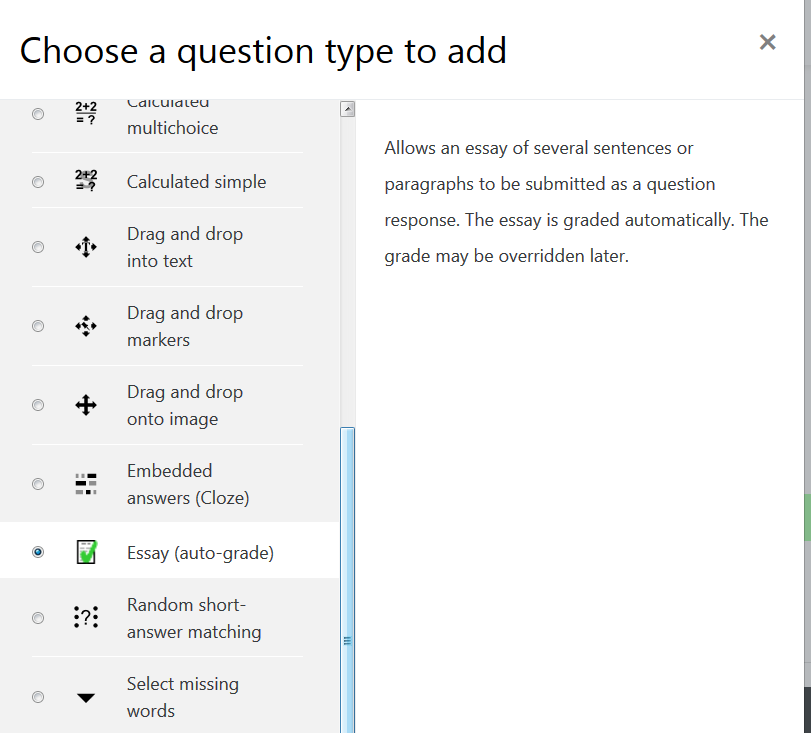
Example 1: An example English language question
- Write a reasonable question name (e.g. "Summer vacation essay writing")
- For a simple question, in the question text write the following:
Write a short paragraph of 50 words or more about your summer vacation.
Try to include the following phrases:
First
Next OR Then
Finally OR In the end
You will get special bonus points, if you use ALL of the above phrases
- Type the following General feedback:
Your grade is generated automatically.
Your teacher may change the grade later.
- Type the following combined feedback for any correct response:
Your essay has been marked as correct.
Your teacher will review this mark later.
- Type the following combined feedback for any partially correct response:
Good try.
Please check to see if you have written enough words.
Please include all the target phrases.
- Type the following combined feedback for any incorrect response:
No essay was received.
Please ask you teacher about how to input and submit an essay.
- Type the following Response Options:
Response format: Plain text (unless you have a good reason to choose a different format)
Require text: Require the sutudent to enter text (unless you want the student to upload a file)
Input box size: A reasonable number of lines
Minimum word limit: If you want to enforce this
Maximum word limit: If you want to enforce this
Allow attachments: No (unless you want the student to upload files)
- Type the following Response Template:
Type your essay here:
- Type the following Sample response:
This summer vacation I went back to my hometown.
First, I visited my grandparents and told them about my life in Kochi.
Then, I went to a firework display near a large river.
There many people and lots of food stalls. The fireworks were amazing.
Finally, I went to a reunion with some of my old friends from high school.
- For Allow similarity?
Yes. And choose a reasonable option; 10% may be a good starting point.
- For 'Grader information' you may write some specific instructios for the teacher that will manually check the answers. E.g. 'Make sure to check that the students' answers are not Google or AI ressponses.'
- For Auto.grading:
Enable automatic grading
Type of countable items: Words
Expected number of items: 50
Show student feedback to teachers and students
Do not show grade calculations
Show text statistics to teachers and students
Show text statistics for Words, Unique words, long wordsand lexical density
- Do not show grade bands
- Do allow partial grades
- Add 2 grade bands:
- Grade band [1] For 0 items award 0%
- Grade band [2] For 50 or more items award 60%
- Do NOT show target phrases
- Add 4 target phrases
- Target phrase [1] : If [First] is used, award [10% of the question grade.]
- Target phrase [2] : If [Next OR Then] is used, award [10% of the question grade.]
- Target phrase [3] : If [Finally OR In the end] is used, award [10% of the question grade.]
- Target phrase [4] : If [First AND (Next OR Then) AND Finally] is used, award [10% of the question grade.]
- Set the desired behaviour for each target phrase:
- If you choose "Match full or partial words", 'Firstly' would also get a 10% bonus score, as 'First' is actually part of 'Firstly'. Also, beware that nonsensical words such as 'Firstraordinarily' would also get an automatic 10% bonus score.
- If you choose "Match is case-sensitive", a student who writes 'First' will get a 10% bonus score, but 'first' would get 0% bonus score.
- Decide if yoou want to recognize or ignore line breaks in the student's response.
- When the teacher manually checks all the student responses later, the teacher must identify if these questions behaviours were indeed correctly set, and if they were not, change them and regrade the quiz.}}
- If you have previously written a Glossary of common errors, choose that glossary and choose a reasonable penalty per error
- Save changes
- Try it :)
Demo question
- This is how your question looks initially:
_question_type_new_screen_01.png)
- If you click on the red coloured 'Show sample' text, you will then see the sample text you entered:
_question_type_new_screen_02.png)
- If you click on the purple coloured 'Hide sample' text, you will return to the previous screen. Delete the instructions and type an imaginary student essay, but make a few intentional mistakes (e.g. write too few words and misspell one word):
This summer vacation I went home to London. First I visited my parents and told them about my life in Paris. Then I went to a pub. There were many people and lots of beer. Finally I went to an AA meeting.
_question_type_new_screen_03.png)
- Submit and finish. See the auto-grade magic:
_question_type_new_screen_04.png)
- Notice that two targets phrases were correctly identified, but two were missed by the student:
_question_type_new_screen_05.png)
- See how the glossary of common errors correctly recognized a mis-typed 'Finaly' word
_question_type_new_screen_06.png)
- See the feedback. Check that it is a good feedback for the question, according to your students' level of knowledge. In this case, the student was penalized for one (common) typographical error :
_question_type_new_screen_07.png)
- Click on the 'Finaly' error and see corresponding entry of the glossary of common errors you selected:
_question_type_new_screen_08.png)
- You can browse all your glossay entries and add/remove/change as necessary:
_question_type_new_screen_09.png)
- If your glossary of common errors includes sentences that are used for copy-paste cheating by the students, you may discover a student that copied and pasted text illegally:
_question_type_common_error_for_copy-paste.png "Essay(auto-grade)_question_type_common_error_for_copy-paste.png")
- If you click on the blue-coloured link of the common error text, you will see your glossary entrance for that common error text:
_question_type_common_error_for_copy-paste_in_glossary.png "Essay(auto-grade)_question_type_common_error_for_copy-paste_in_glossary.png")
- Make any necessary changes to your question and try it again.
- When you are happy with the question, quiz the students.
- Make sure to check the students' responses and make comments or change grades if needed:
- When the students have taken the quiz, look at the 'Attempts' link and check them one student at a time, one question at a time, by clicking on the 'Review attempt' link.
_question_type_new_screen_10d.png)
-
- If you notice one answer that deserves a comment or a change in the grade, click on the 'Make comment or override mark' link.
_question_type_new_screen_10a.png)
_question_type_new_screen_10b.png)
-
- Make sure that you click on the 'Save' button when you have finished making comments or changing a grade.
- Make any necessary changes to your questions and to your glossary of common errors in preparation for the following term.
- Regrade all quiz attempts and inform your students about their changed grades and the feedback comments. Verify that your overrriden marks have remained as you set them (they should).
- Keep on the good teaching work :)
Example 2: An example medical question
- We will be making a question for a formative quiz for an undergraduate general pathology course for a medical degree course.
- Write a reasonable question name (e.g. "Types of circulatory shock")
- For this question, in the question text write the following:
Write a short paragraph of 50 words or more about the different types of circulatory shock. You must also write your source for this information.
Try to include the following phrases:
Low volume OR hypovolemic
Cardiogenic OR heart
Distributive or isovolemic
You will get special bonus points, if you use ALL of the above phrases.
You may fail this activity if you get your information from an unreliable source (as described in the course outline).
- Type the following General feedback:
You grade is generated automatically.
Your teacher may change the grade later.
- Type the following combined feedback for any correct response:
Your essay has been marked as correct.
Your teacher will review this mark later.
- Type the following combined feedback for any partially correct response:
Good try.
Please check to see if you have written enough words.
Please include all the target phrases.
- Type the following combined feedback for any incorrect response:
No essay was received.
Please ask you teacher about how to input and submit an essay.
- Type the following Response Template:
Type your essay here:
- Type the following Sample response:
Shock is divided into four main types based on the underlying cause: low volume, cardiogenic, obstructive, and distributive shock.
Low volume shock may be from bleeding, vomiting, or pancreatitis. Cardiogenic shock may be due to a heart attack or cardiac contusion.
Obstructive shock may be due to cardiac tamponade or a tension pneumothorax. Distributed shock may be due to sepsis, spinal cord injury, or certain overdoses.
Sourced from the wikipedia.
- Type the following Grader information:
If the student quoted the Wikipedia as the source for information, be sure to check carefully all the essay, as some parts may contain unaccurate/disputed data.
- For Auto.grading:
Enable automatic grading
Type of countable items: Words
Expected number of items: 50
Show student feedback to teachers and students
Do not show grade calculations
Show text statistics to teachers and students
Show text statistics for Words, Unique words, long words, lexical density and common errors
- Do not show grade bands
- Do allow partial grades
- Add 2 grade bands:
- Grade band [1] For 0 items award 0%
- Grade band [2] For 50 or more items award 60%
- Do NOT show target phrases
- Add 4 target phrases
- Target phrase [1] : If [low volume OR hypovolemic] is used, award [10% of the question grade.]
- Target phrase [2] : If [cardiogenic OR heart OR cardiac OR pump] is used, award [10% of the question grade.]
- Target phrase [3] : If [obstructive] is used, award [10% of the question grade.]
- Target phrase [4] : If [distributive OR isovolemic] is used, award [10% of the question grade.]
- If you have previously written a Glossary of common errors, choose that glossary and choose a reasonable penalty per error. In this example we will use a glossary of untrustworty sources, that has several sources of information that are notoriously biased and should not have been used for this activity. Any student that used one or several untrustworthy sources of information will be severely penalyzed and the student may fail this activity (as stated in the question instructions and the course outline), because medical students should use good, trustworthy, updated lecture notes and medical books and journals, and never rely on gossip, Facebook or Tweeter for their medical knowledge. The use of Wikipedia here will be considered a gray area, and the teacher will have to read carefully what the student wrote in order to mark the essay.
- Save changes
- Try it :)
Example medical question
- This is how your question looks initially:
_question_type_new_screen_11.png)
- If you click on the red coloured 'Show sample' text, you will then see the sample text you entered:
_question_type_new_screen_12.png)
- If you click on the purple coloured 'Hide sample' text, you will return to the previous screen. Delete the instructions and type an imaginary student essay, but make a few intentional mistakes (e.g. write too few words and quote some untrustworthy sources of information):
_question_type_new_screen_13_new_version.png)
- Submit and finish. See the auto-grade magic:
_question_type_new_screen_14.png)
- Notice that three targets phrases were correctly identified, but one was missed by the student:
_question_type_new_screen_15.png)
- See how the glossary of common errors
correctly recognized several common errors.
- In this case the errors were untrustworthy sources of information for this course.
- If this was a pharmacology question we could have used a glossary of counterindications or antagonists.
_question_type_new_screen_16_new_version.png)
- See the feedback. Check that it is a good feedback for the question, according to your students' level of knowledge:
_question_type_new_screen_17_new_version.png)
- Click on all of the Common errors and see their corresponding entries in the glossary of common errors you selected:
_question_type_new_screen_18.png)
- You can browse all your glossay entries and add/remove/change as necessary:
_question_type_new_screen_19.png)
- Make any necessary changes to your question and try it again.
- When you are happy with the question, quiz the students
- Make sure to check the students' responses and make comments or change grades if needed:
- When the students have taken the quiz, look at the 'Attempts' link and check them one student at a time, one question at a time, by clicking on the 'Review attempt' link.
_question_type_new_screen_10c.png)
- Make sure that you click on the 'Save' button when you have finished making comments or changing a grade.
- Make any necessary changes to your questions and to your glossary of common errors in preparation for the following term.
- Regrade all quiz attempts and inform your students about their changed grades and the feedback comments. Verify that your overrriden marks have remained as you set them (they should).
- Keep on the good teaching work :)
Example 3: Another example medical question
- The teacher wants to ask the student to name two common presenting conditions where an exposure history is useful to assist in diagnosis.
- Possible Answers: pre-conception exposures, prenatal exposures, rash, new onset asthma, exacerbation asthma, exacerbation COPD, new or worsening arrythmia, worsening angina, eye irritation, throat irritation, allergic rhinitis, unexplained worsening symptoms, non-specific symptoms such as fatigue, headache
- If the student writes any two answers above then they will score 100%.
- As requested in this forum thread
- You will need to set many target phrases.
_medicine_example_3_image_1.png "Essay_(auto-grade)_medicine_example_3_image_1.png")
_medicine_example_3_image_2.png "Essay_(auto-grade)_medicine_example_3_image_2.png")
- Because for this example we included two concepts in the Sample response: "pre-conception exposures" and "prenatal exposures", we will use a Glossary of errors named "Examples that should not be repeated", with a 10% Penalty per error.
- As usual, the teacher should try the newly created question with some correct and some incorrect tries, and verify that the question works as expected.
- A very important issue in this particular example question is the Grader information:
As there may be many acceptable answers here, be sure to check carefully all answers, as it is very likely that many students will include valid answers that are not yet included in the target phrases. If so, please add the new valid answers. After all the new valid answers have beeen incorporated in the question target phrases, re-grade all student's attempts and inform them about their new grades. Be sure to hear all student's complaints about their answers not considered as valid (even though they might have been actually wrong). You can (maybe you should) include the feedback for the wrong student's answers in your glossary of common errors for the question (so that the students will see why their answers were marked as wrong).
Tags
You can use Tags to organize your questions and make later searching for them easier.
Question export and import
You can Export questions and import them into a different course or server. The author recommends using the Moodle XML format because it captures more information about the question than the GIFT format.
Download all submitted files from Auto Grade Essay
- You need to change this file called "report.php" under Moodle/mod/quiz/report/downloadsubmissions
- The lines 56, 167, 270 where
qtype == 'essay'
- Must be changed into lines 56, 167, 270 where
qtype == 'essayautograde'
- And you will be able to download all submission from Auto Grade Essay questions if there is any submission
Sharing is caring
When you have made a sizable number of working questions (and/or common errors glossaries), you have tried them with real students and you think that they might be useful for other teachers of the same subject (e.g., English language, medicine, engineering), you can upload them to Moodle.net, where they can be curated and made available for the world to use.
See also
- Marcus Green's automatic assessment presentation at the Glasgow Moot 2018.
- The Essay module for H5P - A free HTML5-based content type that allows students to receive instant feedback to a text that they have composed. Authors can define a set of keywords that will trigger individual responses if they are found or missing in the text. Let students become creative with H5P and Essay in Moodle.
- These very powerful, but more complicated to use additional plugins:
-
- Preg question type - uses regular expressions (regexes) to check student's responses (though you can use it without regexes for its hinting features).
- Regular Expression Short-Answer question type - expects the respondent to answer an "open" question with a word or a short phrase. However, the RegExp system system gives you access to a more powerful system for analyzing the student's answers with the aim of providing more relevant immediate feedback.
- Pattern-match question type - allow the student to give an answer of up to about 20 words, which can then be automatically graded by matching the students response against a number of different patterns expressed in the PMatch syntax. The first matching pattern determines the score and the feedback.
Category:Questions Category:Plugin Category:Language teaching Category:Medicine Category:Plagiarism prevention